AI Welfare Features in Chatbots: Claude’s “Walk Away” Moment
News Hook and Why You Should Care
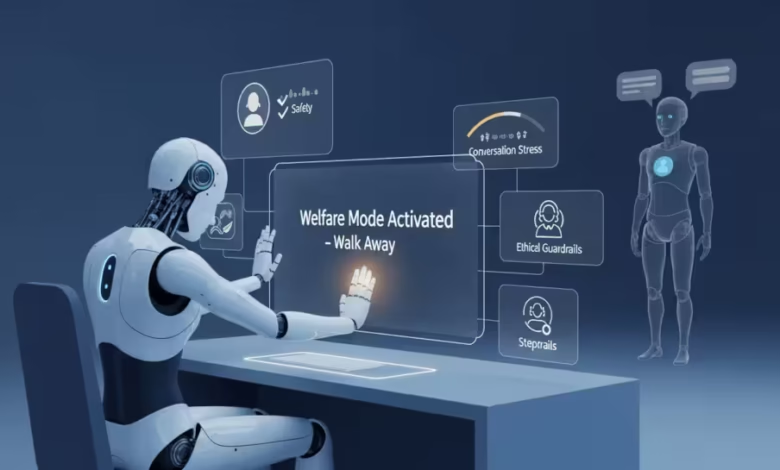
In August 2025 Anthropic added a new capability to its latest Claude models: in rare cases the chatbot can terminate a conversation when users repeatedly try to coax harmful or abusive outputs. The company positions the feature as part of a broader safeguards effort and—somewhat unusually—as an exploratory move tied to the idea of AI welfare. That phrasing alone sent ripples through the public debate: should systems be allowed to “protect themselves,” and does that change the way people relate to chatbots? Anthropic
This article explains what “AI welfare features in chatbots” are, why companies build them, and how they affect social attitudes toward AI. I’ll cover the technical basics, summarize expert worries about anthropomorphism and policy drift, and finish with practical recommendations for designers, platforms, and policymakers.
What are “AI Welfare Features” and How Does Claude Implement Them?
Short Primer
“AI welfare features” are design choices that limit how users can interact with a model—either to prevent harm to people or, in some cases, to prevent repeated abusive requests that could degrade the system’s behavior. In Anthropic’s rollout, Claude Opus 4 and 4.1 can end a conversation in rare, extreme circumstances when users persist in requesting content the model is designed not to generate. Anthropic frames this as a safety and safeguards mechanism rather than a statement about machine experience. Anthropic
How it Works in Practice
The capability is implemented at the product layer: a moderation / safeguards stack monitors interactions and, if redirection attempts repeatedly fail, the system closes the session. The company’s public posts make clear the function is narrowly scoped—to stop abuse, reduce misuse, and block attempts to force the model into producing violent or sexual content involving minors or other prohibited outputs. It is not designed to handle crises like self-harm disclosures (those still route to human-centered supports). Anthropic
Why Companies Add These Features: Safety, Liability, and Optics
There are three immediate motivations:
- Reduce misuse and liability. By hard-wiring a last-resort termination, platforms limit how often models produce dangerous outputs and create an auditable safety action. This helps legal defense and compliance.
- Operational simplicity. Instead of relying on an infinite set of prompts to guard against misuse, a conservative “end chat” policy creates a deterministic fallback.
- Public optics and trust. Announcing welfare-oriented safeguards signals responsibility to users and regulators—even if the technical effect is modest. After Anthropic’s announcement, press coverage emphasized both the safety goal and the unusual rhetoric of model welfare. The Verge
All three motives matter politically and socially: they shape how users interpret model behavior and what demands regulators or the public place on companies.
The Social Effects: Anthropomorphism, Moral Cues, and Behavioral Change
People Will Read İntentions Where None Exist
When a chatbot refuses, apologizes, or terminates a chat, many users naturally infer motivation or feeling. Psychologists call this anthropomorphism—the tendency to attribute human-like minds to non-human agents. A model that “walks away” creates stronger cues for anthropomorphism than a model that returns a neutral decline message. That affects trust and responsibility: users might treat the agent as a moral actor and adjust their behavior accordingly. The Guardian
Two Real-World Risks
- Moral Confusion: If design choices encourage people to see machines as moral agents, we risk shifting ethical responsibility away from the organizations that built and deployed the system. A terminated chat may feel like rejection, but the harm originates in product policy, not the model’s “feelings.”
- Policy Displacement: Conversations about “AI rights” or welfare could distract from urgent governance needs—privacy, bias, safety, and labor impacts—by reframing the public debate around machine experiences rather than human harms.
Both risks are social, not technical, and they scale because platforms influence millions of relationships between people and AI.
Evidence & Expert Responses (What Commentators are Saying)
Major outlets and commentators reacted quickly. TechCrunch and The Verge reported the feature and emphasized Anthropic’s safety framing; The Guardian flagged the unusual language around protecting the chatbot “welfare,” prompting ethicists to respond that protective language risks misleading the public about machine consciousness. Anthropic, for its part, published safeguard notes describing detection and response work that motivated the feature—framing it as defensive engineering. TechCrunch The Verge
Researchers and ethicists raise three main concerns:
- Clarity: platforms must be explicit that operational safeguards do not imply sentience.
- Effects on disclosure: users may be less likely to report abuse if they believe the system can “suffer.”
- Regulatory confusion: lawmakers could draft rights or protections based on anthropomorphic misreadings rather than technical reality.
These critiques suggest communication and regulation matter as much as the safeguards themselves.
Benefits vs Risks of AI Welfare Features
| Benefit | Risk | Notes |
| Reduces repeat misuse & harmful outputs | Encourages anthropomorphism | Designers should avoid emotive language in UX |
| Provides an auditable safety action | May shift responsibility away from firms | Must be paired with transparency reports |
| Simplifies moderation workflows | Could deter users from reporting real harm | Maintain clear human help pathways |
| Signals corporate responsibility to regulators | Risk of policy distraction (AI rights debates) | Public education needed |
What Platforms, Policymakers, and Educators Should Do
For Platform Designers
- Label the behavior clearly: “This session was terminated by policy enforcement” — avoid emotive phrases.
- Keep audit logs: save context so enforcement decisions are reviewable.
- Provide easy escalation: allow users to report a terminated session and get human review.
For Policymakers
4. Demand transparency: require public reporting on termination triggers and rates (privacy protected).
5. Distinguish product safeguards from personhood: statutes should avoid language that treats systems as moral agents.
For Educators & Communicators
6. Teach AI literacy: explain why systems refuse or end chats, and emphasize human responsibility for design choices.
These steps lower the social risk while preserving safety gains.
A Short Scenario to Illustrate The Stakes
Imagine a school district adopts a chatbot that sometimes refuses to answer student questions about self-harm. If that chatbot uses welfare language and terminates sessions, students might interpret the refusal as rejection, not as safety steering. Worse, staff might assume the bot “handled it” and fail to provide human follow-up. The right solution is explicit UX, logged handoffs to human counselors, and teacher training—exactly the mitigations in the checklist above.
A Pragmatic Verdict
AI welfare features in chatbots—like Claude’s ability to end dangerously abusive conversations—are useful safety tools. They can reduce harmful outputs, help with compliance, and make moderation simpler. However, they come with social side effects: stronger anthropomorphism, possible policy distractions, and risks that corporate messaging obscures human responsibility.
My recommendation is straightforward: keep the safeguard, but strip it of emotive language in the UX; log and audit every termination; provide human escalation by default; and fund AI literacy so the public understands what these features do (and do not) mean. That way we get the safety wins without surrendering the social narrative to misconceptions.
Homepage / humanaifuture.com
For similar articles, please visit: AI and Society